Invoice and receipt templates in Nigeria: A4, proforma and café examples
Explore real ReceiptPro invoice and receipt template images, with naira examples, A4 layouts, logo placement and clear invoice-versus-proforma guidance.
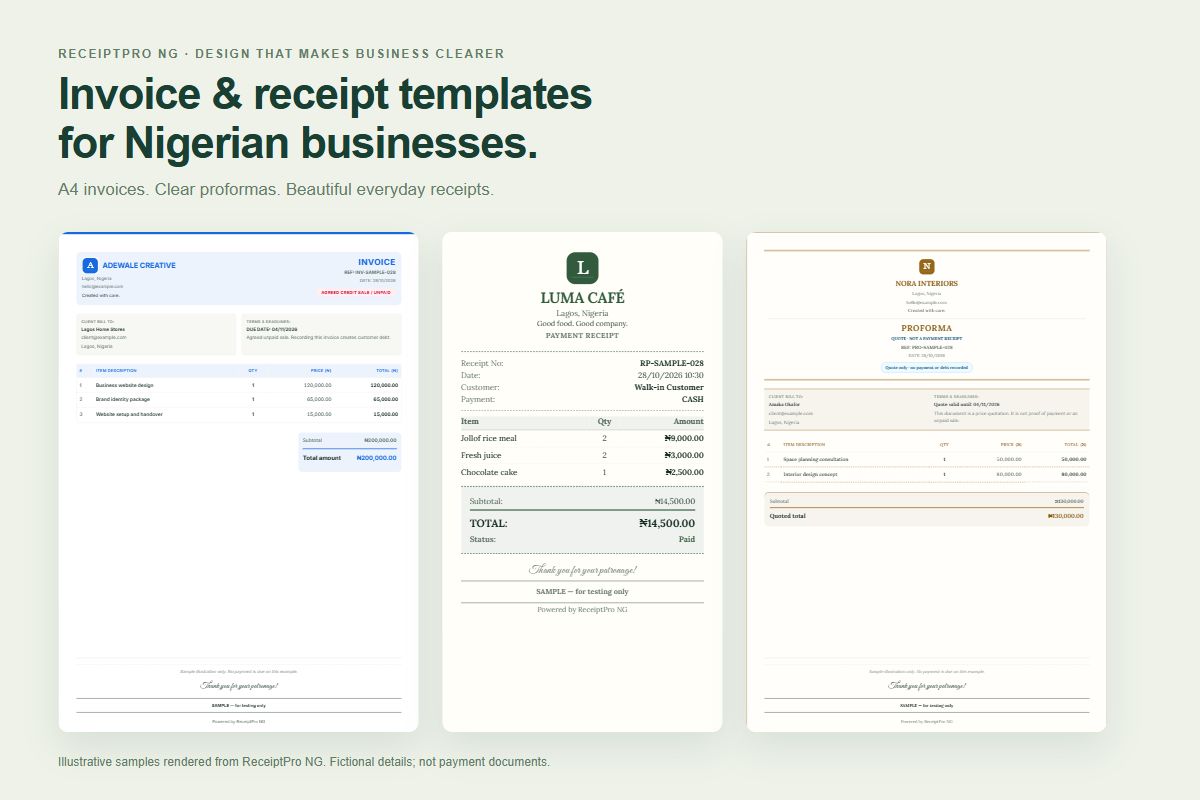
A good invoice should help a customer understand the work, the amount and the next step. A good receipt should make a completed payment easy to recognise. Neither needs oversized headings or a crowded page.
This visual guide shows three layouts rendered from ReceiptPro NG's own document components: an A4 service invoice, a branded proforma and a compact café receipt. Every business name, customer and transaction below is fictional. The examples are illustrations, not bills to pay or proof of a real payment. Select any image to open the full-size version.
1. A clean A4 invoice template for service businesses
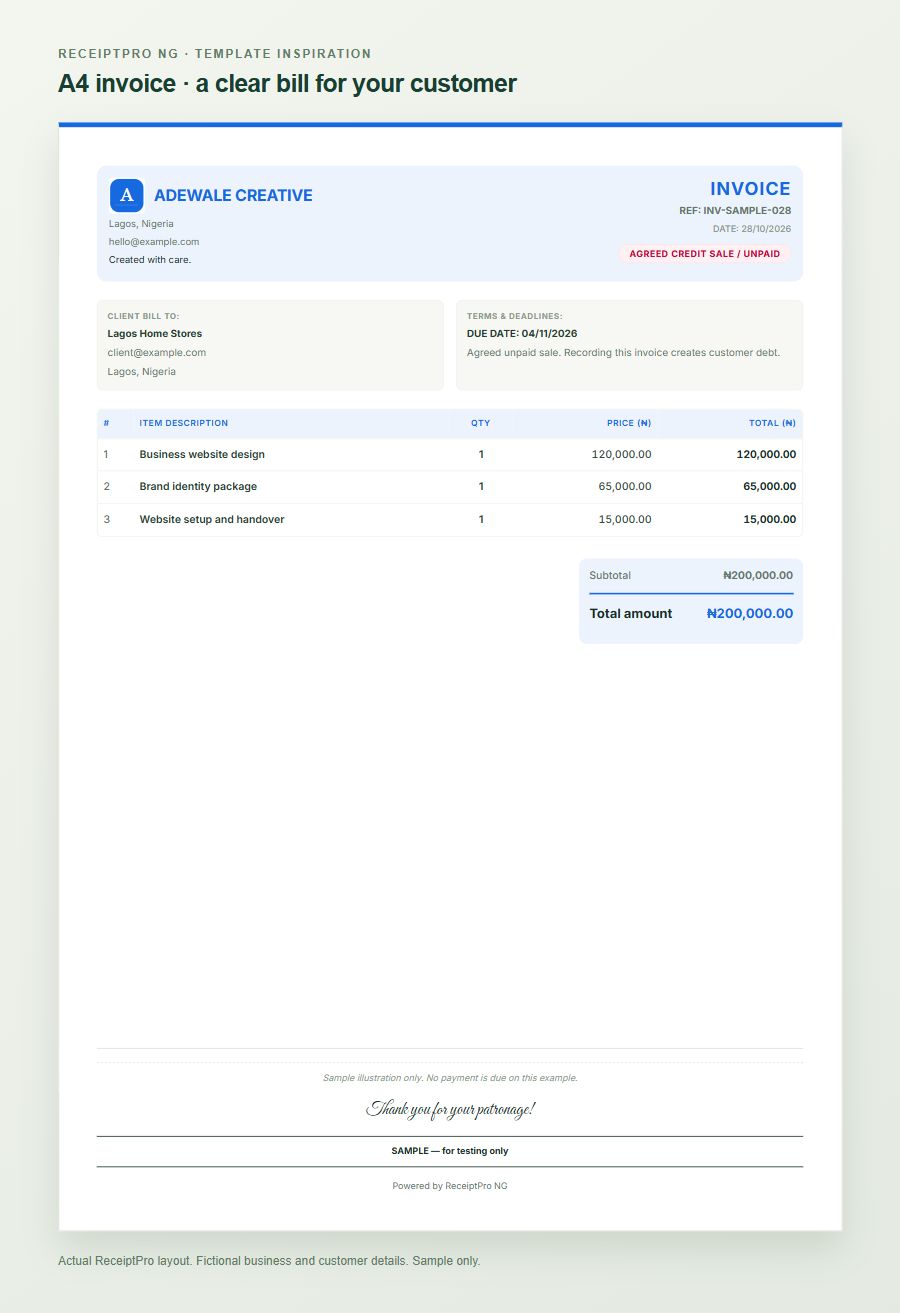
An A4 invoice works well when a customer needs an itemised document for an office, project file or purchasing team. The blue example gives the business identity a small corner of the header, then makes room for the customer, reference, dates and services.
The fictional creative studio lists website design at ₦120,000, brand identity at ₦65,000 and website setup at ₦15,000. The total is ₦200,000. The document is clearly unpaid; a polished layout must never make an unpaid invoice look like a payment receipt. VAT is not included in these illustrative amounts.
Keep each service description specific enough for the customer to recognise the work. A line such as “Website setup and handover” is more useful than “Other charges”. Add the agreed due date and review the customer details before sharing.
For a fuller field checklist, read our A4 invoice sample guide.
2. A proforma invoice template for quotations
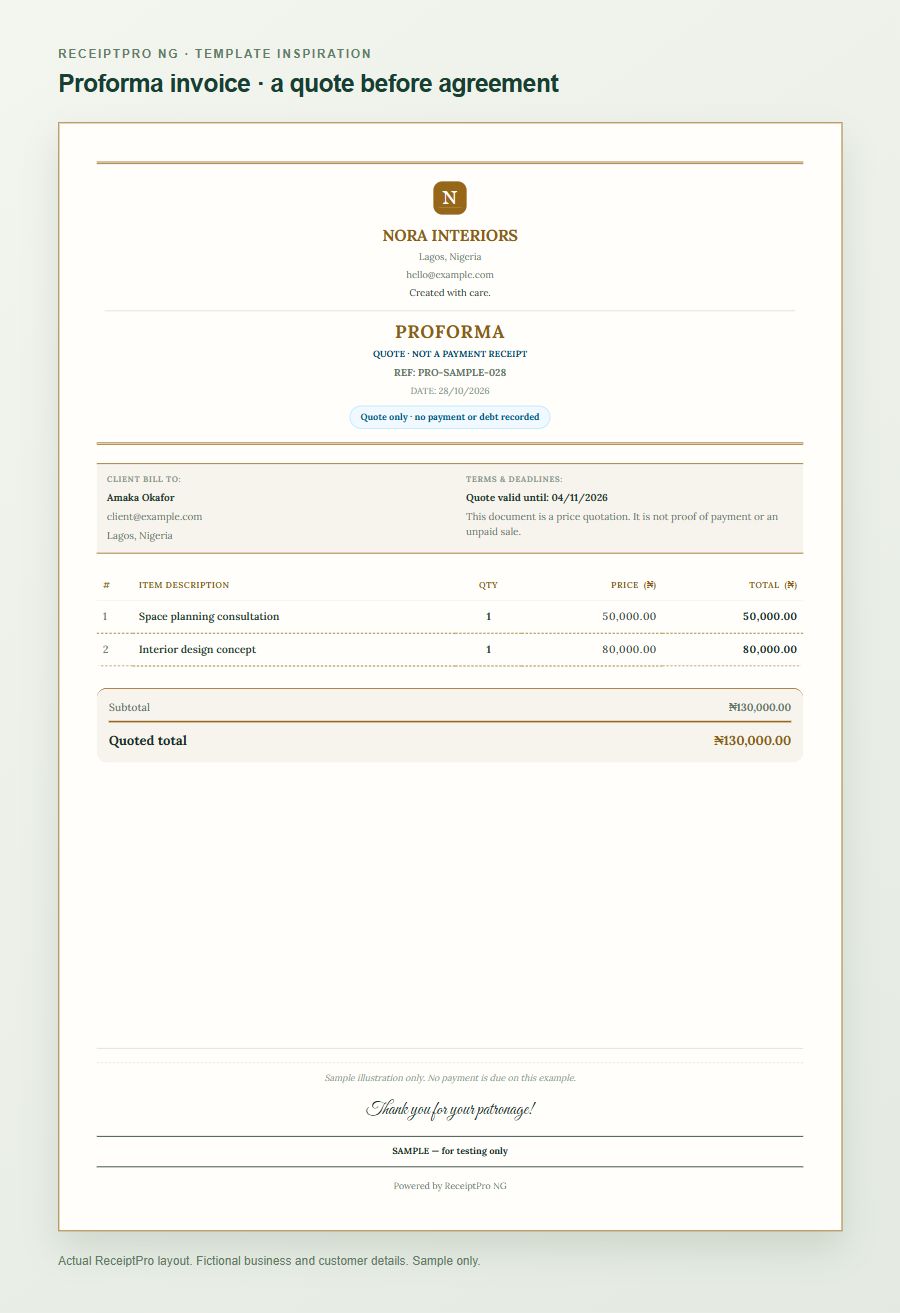
A customer may ask for prices before deciding whether to proceed. In that situation, choose Proforma / quote instead of treating the enquiry as a confirmed sale.
The gold example quotes ₦50,000 for space planning and ₦80,000 for an interior design concept: a ₦130,000 quoted total. Its label says that it is a quote, not a payment receipt. The centred business logo gives this version a different character while keeping the line items and total clear.
In ReceiptPro, saving, printing or sharing a proforma does not automatically record a sale, payment, stock movement or customer debt. Review the transaction and use the explicit recording flow when the customer actually agrees to buy. Read how proformas stay separate from sales before recording a quotation as a sale.
3. A compact receipt template for cafés and small shops
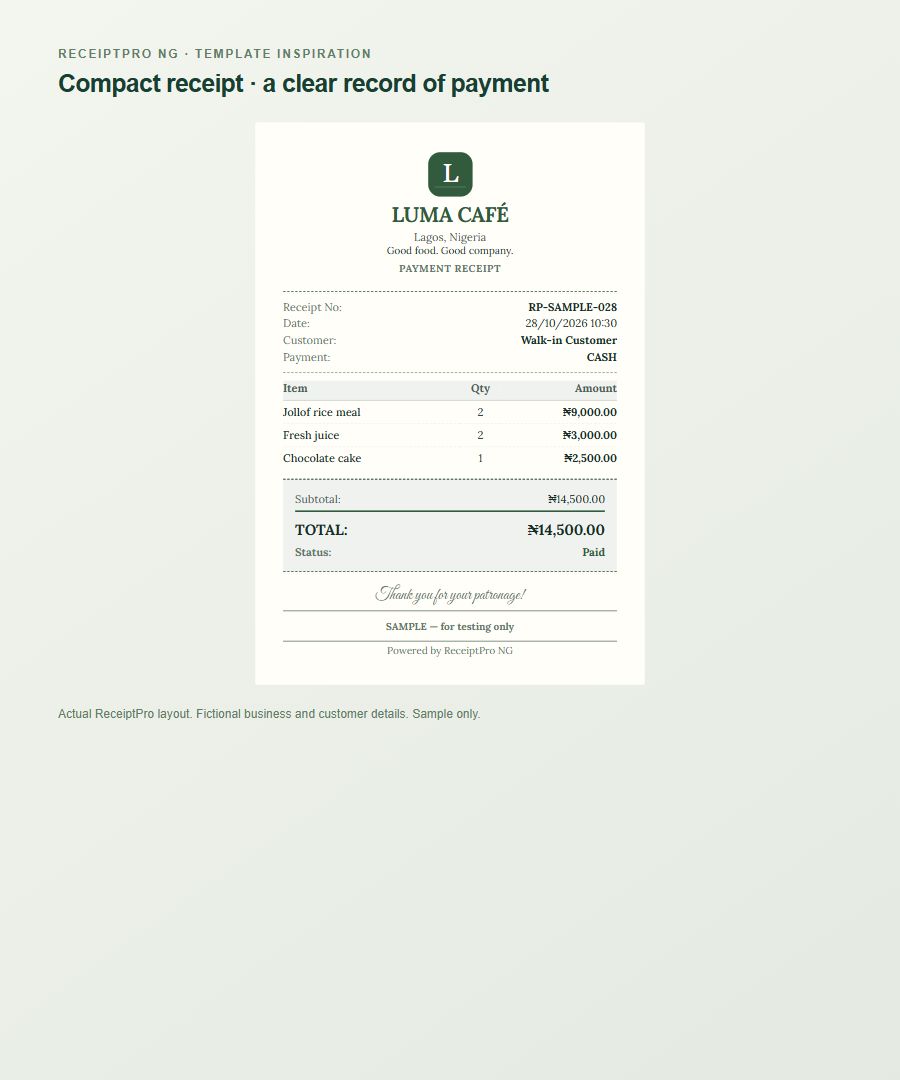
A narrow receipt is useful at a counter where the customer mainly needs the items, quantities, total and payment status. This café example keeps its identity at the top, the order in the middle and a short thank-you at the bottom.
Two jollof rice meals at ₦4,500 each cost ₦9,000. Two fresh juices at ₦1,500 each cost ₦3,000. One cake portion costs ₦2,500. Together, they total ₦14,500, shown as a fictional cash payment.
For a real transaction, record the payment method you actually checked. A customer's transfer message is not the same as confirming the credit in your own bank account. ReceiptPro's payment record reflects the business's confirmation; it does not automatically reconcile every bank or POS payment.
A narrow layout is different from the A4 page above. Choose the appropriate receipt format and check your browser's print settings and printer before using it at the counter. Our restaurant and café tutorial explains the everyday workflow.
Make a template match your business
- Add your business details and logo in Settings.
- Open the document design settings and choose a layout available on your plan.
- Choose a suitable logo position. The examples show both a corner logo and a centred logo.
- With Pro custom branding, adjust the accent colour, document font and thank-you style to suit your business.
- Open Invoice, add the customer's details and enter your own goods or services. Invoice is the default; choose Proforma / quote when you are preparing a quotation.
- Preview the amounts, document type and paper size before printing or sharing.
Keep strong colour for useful accents and give the item table room to breathe. A decorative thank-you font can work at the bottom; figures, dates and payment terms still need to be easy to read.
What is free, and which designs need a paid plan?
A free Starter account lets you begin with on-screen invoice and receipt creation. Growth includes the paid document-template and printing tools; Pro adds custom branding controls. Printing, PDF output and advanced appearance options are subject to the relevant plan. These sample images are not downloadable Word or Excel templates.
Compare the current ReceiptPro plans, explore our free invoice generator guide or free receipt maker guide, then create a free Starter account. Start with your actual business details and a small sample document before sending your first customer invoice.